How to File Form 2290 Online:
Step-by-Step IRS Guide & Instructions
Master the IRS Heavy Vehicle Use Tax (HVUT). Learn the mandatory pre-filing requirements, line-by-line form instructions, weight category calculations, and how to receive your official watermarked Schedule 1 in 5 minutes.
To file IRS Form 2290 online, gather your 9-digit EIN, registered business address,17-character truck VIN, and taxable gross weight category (55,000+ lbs). Enter your vehicle details on an IRS-authorized portal like Consulics, select an IRS tax payment option (Direct Debit/EFW, EFTPS, or card), apply a 5-digit electronic signature PIN, and submit. Once accepted by the IRS—typically within 5 minutes—download your official watermarked Schedule 1to renew commercial vehicle tags, state DMV registrations, and IRP apportioned plates.
What Documents Do I Need to File Form 2290?
Before beginning your online filing, ensure you have these four critical pieces of information ready. Having them on hand ensures your return passes IRS automated validation on the first attempt without rejections.
1. Federal EIN (No SSNs)
The IRS strictly rejects Form 2290 filings using a Social Security Number. You must have an active federal Employer Identification Number matching your legal business entity name.
2. 17-Digit Vehicle VIN
Locate the 17-character Vehicle Identification Number on your truck’s cab door jamb, title, or vehicle registration card.
3. Taxable Gross Weight
Heavy Vehicle Use Tax applies to commercial highway motor vehicles with a taxable gross weight of 55,000 lbs or more.
4. First Used Month (FUM)
The month during the tax year (July 1 to June 30) when the vehicle was first operated on public highways.
Step-by-Step Instructions: How to File on Consulics
Follow along with our real platform screens to see how quickly you can prepare, validate, and transmit your Form 2290.
The 9 Filing Steps
Click any step to inspect the portal workflow
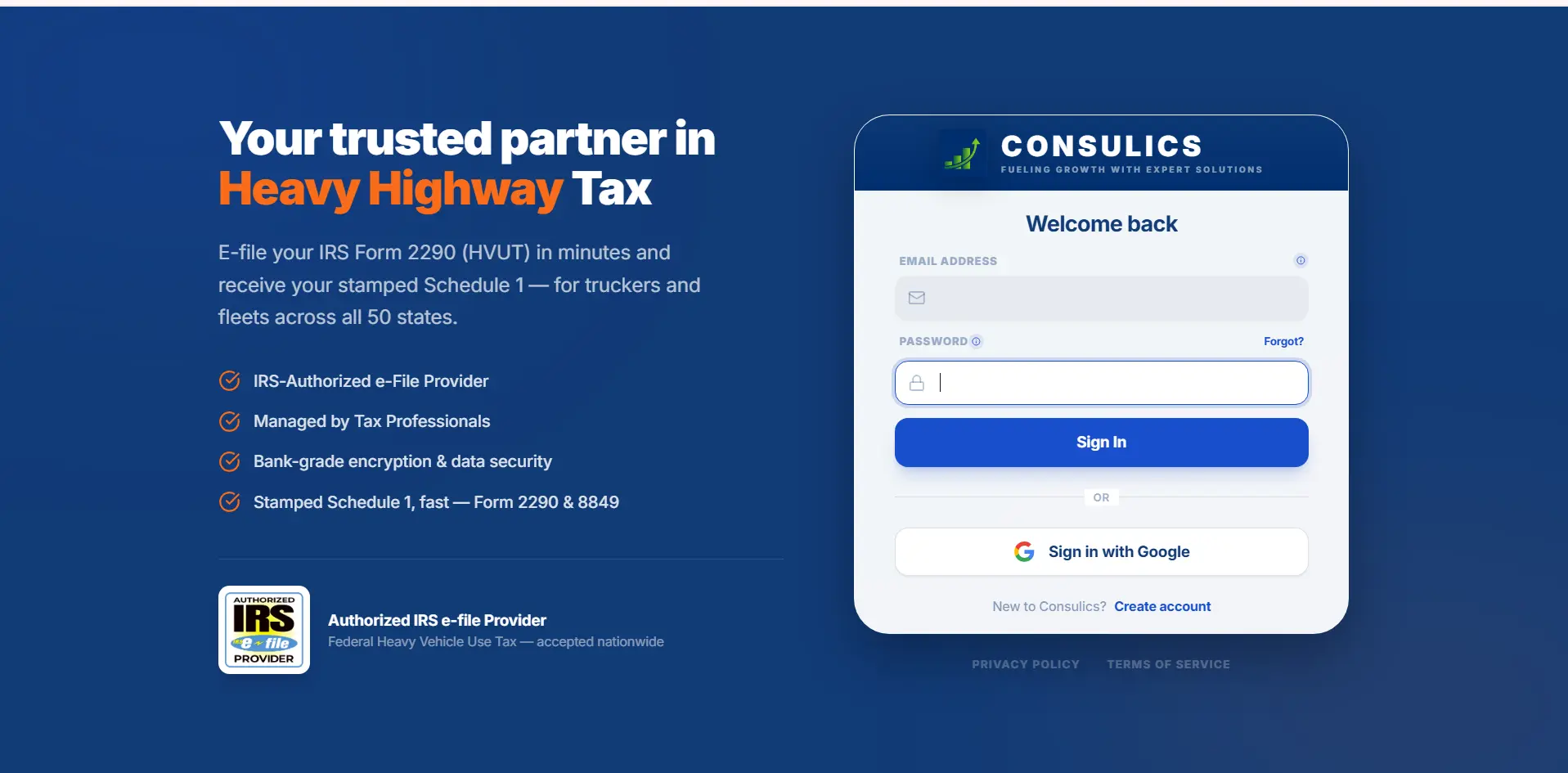
Create Your Account & Secure Sign-In
Begin by signing up for a secure account at app.consulics.com. There are zero subscription contracts or hidden platform fees—you only pay a transparent, flat e-filing fee when you submit a return.
Key Actions in this Step:
- Takes under 60 seconds with email or one-click Google login
- No credit card required to create your profile and draft returns
- Bank-grade 256-bit SSL encryption protects your federal tax records
- Recognized IRS-Authorized e-File Provider for Form 2290 & Form 8849
How to Fill Out Form 2290: Line-by-Line Breakdown
Understanding the IRS tax form structure helps you verify automated calculations and ensures you claim every eligible suspension or tax credit.
Figuring the Heavy Vehicle Use Tax (Lines 1–6)
Part I is where the actual excise tax is computed based on your fleet’s taxable gross weights:
Vehicles weighing 55,000 lbs begin at a base tax of $100 plus $22 for each 1,000 lbs over 55,000 lbs. Any vehicle exceeding 75,000 lbs (Category V) is capped at the federal maximum of $550.00 per year.
Used when filing an amended return if a vehicle’s taxable gross weight increased during the tax year, bumping it into a higher tax bracket.
The cumulative gross tax sum of Line 1 and Line 2 across all taxable commercial vehicles on your return.
Claim credits for tax paid on vehicles sold, destroyed, stolen, or driven 5,000 miles or less in the prior year. Line 6 calculates your final net tax balance owed.
Statement in Support of Suspension (Category W)
Vehicles that operate under the statutory annual mileage limits are eligible for tax suspension:
5,000-Mile Commercial Rule: If you expect to operate a highway motor vehicle 5,000 miles or less during the period (July 1 to June 30), you must declare it on Form 2290 under Category W. You pay $0 tax, and the IRS issues your legal Schedule 1.
7,500-Mile Agricultural Rule: Designated agricultural trucks used exclusively to transport farm produce, supplies, or livestock can travel up to 7,500 miles on public highways before any tax is incurred.
Schedule 1 (Form 2290): Proof of Payment
Schedule 1 is submitted in duplicate (Copy A and Copy B). When you e-file through Consulics, the IRS attaches an electronic watermark including the date, time, and IRS MeF control number.
This single watermarked page is the only document accepted by state DMV departments, the International Registration Plan (IRP), and state weigh station safety inspectors as proof of heavy vehicle tax compliance.
IRS Form 2290 Due Dates & Monthly Proration Table
The standard Form 2290 annual deadline is August 31 for vehicles on the road in July. For trucks first used in any other month, review the prorated tax rates below:
| First Used Month (FUM) | Filing Deadline | Standard Tax (75k+ lbs) | Logging Tax Rate |
|---|---|---|---|
| July (Full Year)Annual Deadline | August 31 | $550.00 | $412.50 |
| August | September 30 | $504.17 | $378.13 |
| September | October 31 | $458.33 | $343.75 |
| October | November 30 | $412.50 | $309.38 |
| November | December 31 | $366.67 | $275.00 |
| December | January 31 | $320.83 | $240.63 |
| January | February 28/29 | $275.00 | $206.25 |
| February | March 31 | $229.17 | $171.88 |
| March | April 30 | $183.33 | $137.50 |
| April | May 31 | $137.50 | $103.13 |
| May | June 30 | $91.67 | $68.75 |
| June | July 31 | $45.83 | $34.38 |
Why Form 2290 is Mandatory for Apportioned Plates (IRP) & Commercial Tags
Under federal law (23 U.S.C. 141), all 50 state DMVs and International Registration Plan (IRP) bureaus are legally required to verify proof of payment for IRS Form 2290 before issuing or renewing commercial tags, for-hire tags, and apportioned license plates for vehicles weighing 55,000 lbs or more.
5 Common Form 2290 Rejection Reasons (And How to Avoid Them)
Avoid these common mistakes that cause IRS Modernized e-File systems to reject returns:
Name Control Mismatch
The business name entered does not match the 4-character IRS Name Control on file. Consulics automatically generates this via IRS Pub 4163 rules.
New EIN Under 15 Days
Filing with a newly issued EIN before the IRS e-file database has synced. Wait 10 to 15 business days after receiving your EIN before filing.
Duplicate VIN Filing
The VIN was already filed for the current tax year by a previous owner or prior carrier. Requires a bill of sale proof or VIN amendment.
Mismatched First Used Month
Selecting a First Used Month that conflicts with your state vehicle registration date or placing a date outside the active July–June tax year.
Banking Typo on EFW
Typing an incorrect 9-digit bank routing number or account number for Direct Debit payment, causing payment rejection and late penalties.
Free Error Resubmissions
If your filing is rejected by the IRS for any reason, our platform explains the error in plain English and lets you correct and resubmit for free.
Frequently Asked Questions
Everything commercial carriers and owner-operators ask about filling out and e-filing Form 2290.
Ready to e-File Form 2290 & Get Your Stamped Schedule 1?
Join thousands of truckers and commercial fleets who trust Consulics for fast, error-free, IRS-certified e-filing.
Start Your Form 2290 NowStatutory Disclaimer: Consulics is an IRS-Authorized e-File Provider. This guide provides general excise tax information and does not constitute formal legal or tax advisory services. For specific entity tax situations, consult a licensed CPA or tax professional.